Artificial intelligence, or AI, is one of those terms people hear everywhere, but it can sound more complicated than it really is.
At its simplest, AI is software that is designed to do tasks that usually need human intelligence. That means it can recognize patterns, understand language, make predictions, help with decisions, or create new content.
AI is not a robot with a human brain. It does not think, feel, or understand the world the way people do. Instead, it works by using information, finding patterns, and using those patterns to give a useful result.
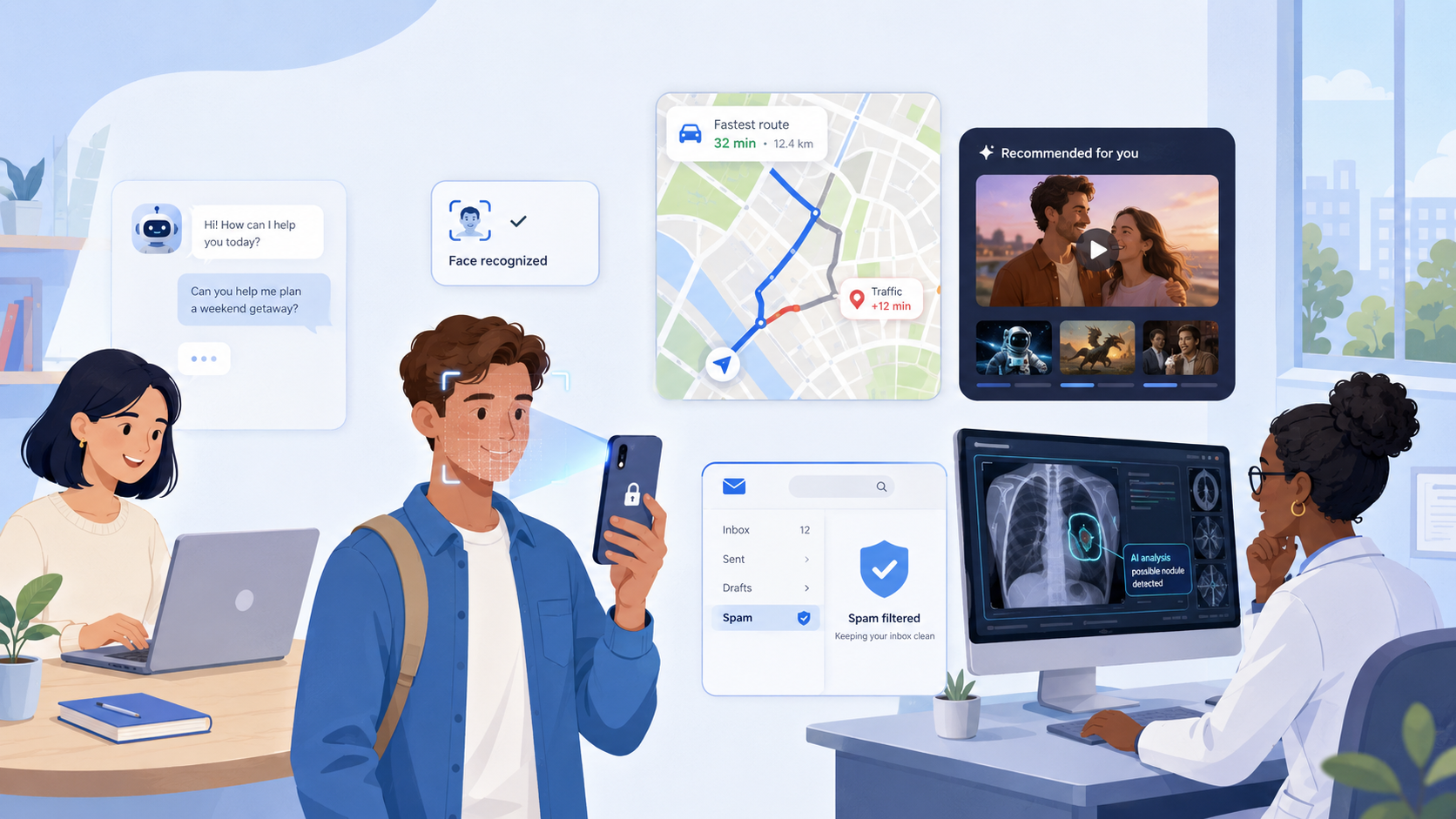
For example, when ChatGPT answers a question, it is using AI. When Netflix recommends a movie, that is AI too. When Google Maps predicts traffic, your email blocks spam, or your phone unlocks with your face, AI is working quietly in the background.
A simple way to think about AI is this:
AI looks at information, finds patterns, and uses those patterns to do something helpful.
Imagine you watch a lot of comedy movies on Netflix. Over time, Netflix notices this pattern. It may also notice that other people who liked the same movies as you also enjoyed a certain new show. So it recommends that show to you. The system is not “thinking” like a person. It is using patterns to make a prediction about what you might enjoy.
The same idea appears in many places. Google Maps looks at traffic data and predicts which route will be faster. Email spam filters look for signs that a message might be unwanted or dangerous. Phone face recognition looks for patterns in your face so it can tell whether the person holding the phone is you.
AI can also create things. This is called generative AI. Tools like ChatGPT can generate text, answer questions, summarize ideas, help write emails, and explain topics. Other generative AI tools can create images, music, videos, or code. They do this by learning patterns from large amounts of existing examples and then producing something new based on what they have learned.
AI is also useful for decision support. This means it helps people make decisions, but it does not always replace the person making the final choice. For example, in healthcare, AI can help doctors analyze medical images such as X-rays or scans. It may point out areas that look unusual, but a doctor still uses professional judgment to decide what the results mean.
In finance, AI can help banks notice unusual activity on an account. If someone suddenly spends money in a strange location or makes a purchase that does not match their normal behavior, AI may flag it as possible fraud.
In education, AI can recommend practice questions, explain difficult topics, or help students learn at their own pace. In entertainment, AI recommends songs, movies, videos, and games based on what people seem to enjoy.
The important thing to understand is that AI is already part of everyday life. It is not only used by scientists or big technology companies. Most people use AI many times a day without even noticing it.
Still, AI is not perfect. It can make mistakes. It can misunderstand a question. It can give an answer that sounds confident but is wrong. It can also reflect problems in the information it was trained on. That is why people should use AI as a helpful tool, not as something that is always correct.
One common mistake is thinking AI means robots. Some robots use AI, but most AI is just software. Another common mistake is thinking AI truly understands things like a human. It does not. It can produce intelligent-looking answers, but it does not have feelings, life experience, or human judgment.
AI matters because it can save time, reduce repetitive work, improve predictions, support better decisions, and help people create new things. It can help a student understand a topic, a driver avoid traffic, a doctor review a scan, or a business organize information faster.
Now try this practical activity.
Think about your normal day and identify 10 AI systems you use or see. Then classify each one by type.
For example:
| AI System | Where You Use It | Type |
|---|---|---|
| ChatGPT | Asking questions or writing | Generative AI |
| Netflix | Movie recommendations | Prediction |
| Google Maps | Traffic and route planning | Prediction |
| Email spam filter | Email inbox | Pattern recognition |
| Face recognition | Unlocking a phone | Pattern recognition |
| YouTube recommendations | Watching videos | Prediction |
| Online shopping suggestions | Shopping websites | Prediction |
| Autocorrect | Typing messages | Automation |
| Banking fraud alerts | Bank account security | Pattern recognition |
| Medical scan analysis | Healthcare | Decision support |
Here is your mini challenge:
Find one example of AI in healthcare, one in finance, one in education, and one in entertainment. For each example, explain what the AI does and whether it is mainly recognizing patterns, making predictions, generating content, automating a task, or supporting decisions.
By the end, you should be able to see AI more clearly in the world around you. AI is not magic. It is not a human brain. It is software that uses patterns and information to perform tasks that seem intelligent.
The next step is to learn about the different types of AI, such as predictive AI, generative AI, and AI assistants. Once you understand those categories, it becomes much easier to understand how modern technology works and why AI is becoming so important.